How to Choose the Best Mini CNC Machine?
Choosing the best mini cnc machine starts with the work you actually plan to make. A 300 mm work area may suit small signs, brackets, or model parts, but it will not fit every project. Check the usable cutting area, frame rigidity, spindle power, and supported materials before comparing prices. A machine that cuts smoothly in soft wood may struggle with aluminum. Small details matter: belt tension, spindle runout, dust control, and how firmly the workpiece is held. Shigeo Shingo, the industrial engineer known for his work on production improvement, offered a useful reminder: “The most dangerous kind of waste is the waste we do not recognize.” That warning applies here. An inexpensive machine can become costly if it needs upgrades before it can do your intended work.
This guide will help you compare mini cnc machine options by workspace, accuracy, construction, software, and support. It will also explain how to match specifications to your materials, skill level, and budget. A long list of features can look impressive. Not every feature earns its place. Consider the noise, setup time, available replacement parts, and whether the machine fits your bench. Read user reports carefully, but treat single reviews as clues, not proof. There is no perfect choice. Even a careful comparison can miss something, and that deserves a second look. The right machine is the one that handles your real projects reliably, without paying for capacity you will rarely use.
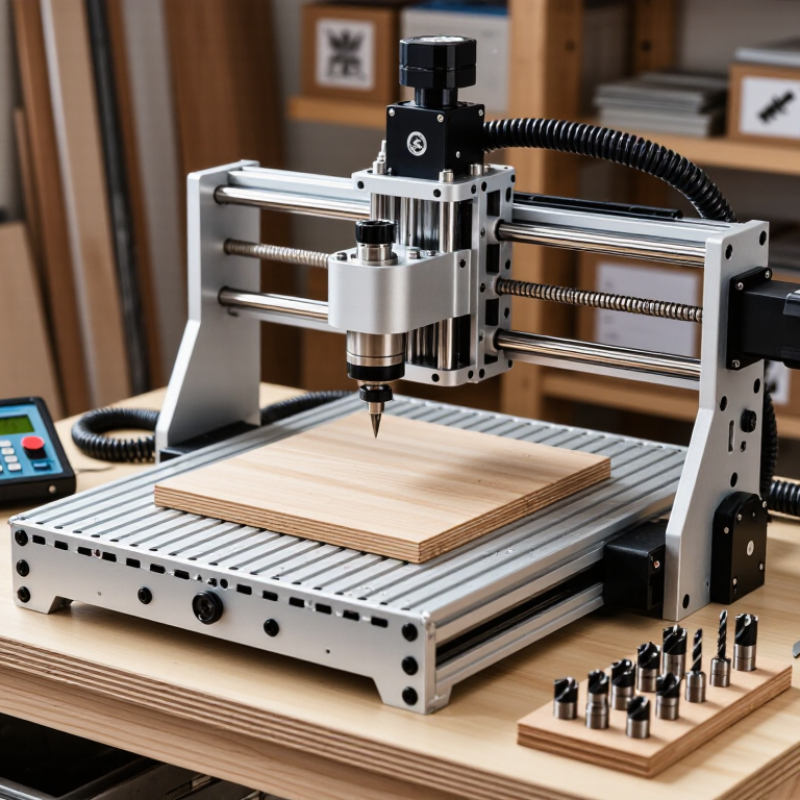
Define Your Projects and Material Requirements
Before comparing mini CNC machines, write down what you actually plan to make. A wooden nameplate, a small aluminum bracket, and a detailed circuit-board enclosure demand different cutting depths, accuracy, and work areas. Measure your largest stock piece, including clamps and tool clearance. A machine’s advertised work area can feel smaller once the material is secured.
Name the materials you expect to cut, not just the ones you might try someday. Wood and plastics are common starting points, while aluminum usually calls for slower cuts, a rigid frame, and suitable tooling. Check the machine’s spindle capacity and supported accessories against those needs.
Keep it realistic. If your projects need only shallow engraving, paying for deep-cut capacity may not help. If you need repeatable holes, look closely at rigidity and positioning accuracy, not only the smallest advertised detail.
Dust collection and chip removal matter too; fine debris can affect visibility and maintenance. A practical test is to sketch one real project and list its stock size, tool, and tightest tolerance. That list may expose a gap in your plan.
It is easy to overlook clamping space. Start there.
Compare Mini CNC Types and Working Areas
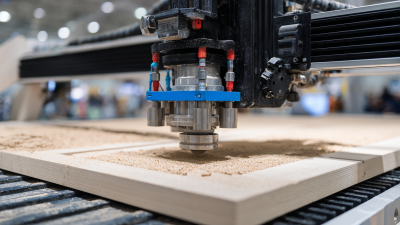
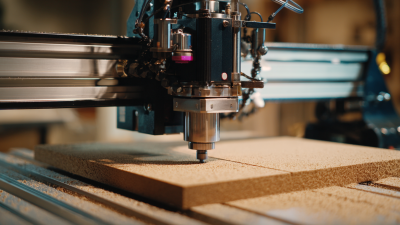
Mini CNC machines differ more by working area and rigidity than by appearance. Desktop routers suit wood, plastics, and sheet stock; compact mills handle small metal parts more comfortably. Engravers prioritize fine detail, often trading cutting depth for precision. As a practical starting point, small engravers may offer roughly 100 × 100 mm of travel, while desktop routers commonly span about 300 × 180 to 600 × 400 mm. These are broad examples, not standards. Check usable X, Y, and Z travel, not just the table size. A vise, clamps, or dust shoe can reduce the space available for a real job. That matters.
The CNC machine market reached an estimated USD 101.22 billion in 2023, according to Grand View Research’s CNC Machine Market report, which forecasts 9.5% annual growth through 2030. This industry figure shows broad investment in CNC technology; it does not tell you which mini-machine bed size will fit your work. Match the travel to your largest regular part, then leave room for workholding and tool access. For a 250 mm panel, a 300 mm axis may feel tight once clamps enter the picture. More area is not always better: a larger frame takes space and may sacrifice rigidity if poorly built. I would recheck the actual travel drawing before buying.
Evaluate Accuracy, Spindle Power, and Machine Build
When choosing a mini CNC machine, match its accuracy to the parts you plan to make.
A stated positioning resolution is not the same as cutting accuracy. Check repeatability, backlash, and the method used for testing. Numbers need context. If possible, cut a small test pattern in your intended material, then measure hole spacing and edge finish with calipers. A clean-looking sample can still hide dimensional drift.
Spindle power matters, but more power is not automatically better.
Consider the cutter diameter, material, and depth of cut. Small machines often perform more reliably with shallow passes than aggressive cuts. Listen for bogging, watch for chatter, and check whether the spindle holds speed under load. For wood or plastic, dust collection and suitable feed rates may matter as much as peak wattage. Metal cutting calls for conservative settings and a rigid setup.
Look closely at the frame, rails, bearings, and workholding.
With the machine off, move each axis by hand; rough spots or visible play deserve attention. Feel the frame. A heavier base can reduce vibration, though it may limit portability. Ask how the machine is assembled, aligned, and serviced, and whether replacement parts are available. I would not judge rigidity from appearance alone. A quick demonstration can mislead: a light test cut may not reveal flex during longer jobs. Balance measured results against your workspace, budget, and willingness to tune the machine.
Check Software Compatibility, Controls, and Ease of Use
How to Choose the Best Mini CNC Machine?
Software compatibility can make a compact CNC machine feel simple—or frustrating. Check that its control software runs on your computer’s operating system. Confirm it accepts your design files or supports a suitable toolpath export. A file that opens is not always ready to cut; settings for tool size, work zero, and material still matter. If possible, test a sample project before buying.
Controls should be clear enough to use without constant guesswork. Look for readable labels, practical jog controls, and an accessible emergency stop. A preview of the toolpath can help you spot errors before the cutter reaches the material. Ease of use also depends on setup: clear instructions, a stable work surface, and straightforward calibration save time. Small machines still need careful alignment. It is easy to underestimate that.
Tips: Ask how the machine handles lost connections and interrupted jobs. Check whether common file formats are supported, and read the setup guide before purchase. Try the interface, if available. A few menus may seem harmless, but unclear controls become tiring during repeated work.
Assess Safety Features, Support, and Total Cost of Ownership
Safety is more than an emergency-stop button. Check whether the machine has a guarded work area, secure workholding, and clear instructions for changing tools. A loose clamp can turn a small job into a damaged cutter or flying debris. Test how easily you can reach the stop control while standing at the normal operating position. Also consider noise and dust: an enclosure and suitable extraction may matter in a home workshop.
Support can prevent small problems from becoming long delays. Look for readable setup guides, wiring diagrams, spare-part availability, and a clear way to contact knowledgeable help. Ask how the machine handles routine maintenance and whether common parts can be replaced without specialist tools. Response times are hard to judge from a sales page. Ask specific questions before buying, and note how clearly they are answered.
Calculate ownership costs beyond the purchase price. Include cutters, collets, workholding, software, extraction, shipping, and likely maintenance. Downtime has a cost too, especially if a broken component pauses paid work. A simple spreadsheet helps. Still, estimates are imperfect; material waste and learning time are easy to underestimate. Compare machines against the jobs you actually plan to make, not a best-case demonstration.
How to Choose the Best Mini CNC Machine?
Assess Safety Features, Support, and Total Cost of Ownership
Suggested 100-point evaluation rubric—not survey results. Give the greatest weight to total cost of ownership, including tooling and maintenance, while also checking practical safety features and the availability of technical support and replacement parts.